You tell yourself this is the week you finally start exercising. You plan to eat better, read more, and get to bed earlier. Then Monday arrives, and somehow you end up on the couch with your phone in your hand, doing none of it.
Sound familiar? The problem is not that you lack willpower. The problem is that your environment keeps voting against you. Every object in your space is a silent instruction: the phone on your desk says "check me", the cookies on the counter say "eat me", the remote control says "sit down and stay". When your environment pulls one way and your intentions pull the other, your environment wins almost every time.
The good news is that you can flip the script. Environment design is the practice of arranging your surroundings so that good habits become the path of least resistance and bad habits become inconvenient. And with your habit tracker Excel template, you can test, measure, and refine your environment the same way you track any other habit.
Why Your Environment Beats Your Willpower
Behavioral researchers have known for decades that context shapes behavior more than character. One classic workplace study found that office workers ate 48 percent more chocolates when the candy dish sat on their desks than when it was moved just six feet away. Same people, same chocolates, different distance. Nobody decided to eat more candy. The environment decided for them.
Here is why this matters for your habits: willpower is a limited resource that depletes as the day goes on. Every temptation you resist costs energy, and every decision drains the tank a little more. By evening, the average person has almost nothing left, which is exactly when the snacks, the phone, and the couch become irresistible.
Environment design works because it removes the need for willpower in the first place. When the fruit bowl sits on the counter and the cookies live in a high cupboard, you do not need to resist the cookies, you simply do not see them. When your gym bag is packed by the door, you do not need to motivate yourself to pack it at 6 a.m. The hard part is already done.
Your habit tracker Excel template fits into this picture perfectly. Tracking tells you which habits are struggling. Environment design tells you why, and fixing the environment makes the tracker light up green.
"You do not rise to the level of your goals. You fall to the level of your environment. Design the space, and the habits follow."
: My Habit Journals
The Friction Audit: Find What Is Blocking You
Before you change anything, you need to know what is currently working against you. Run a friction audit. For one week, pay close attention to the gap between what you intend to do and what you actually do. Every time you skip a habit or give in to a bad one, ask one question: what in my environment made this harder or easier?
Common answers look like this:
- Gym clothes buried in the bottom of a drawer, so "go to the gym" requires ten minutes of digging before you even leave.
- Phone on the nightstand, so the first and last thing you see every day is a glowing screen instead of a book.
- Water bottle in the cupboard, so drinking water means a detour while the soda is already in your hand.
- Snacks at eye level in the pantry, while the fruit hides in the crisper drawer.
- TV in the bedroom, so "sleep earlier" competes with a screen that is already on.
- Guitar in a closed case in the closet, so practicing takes three steps instead of one.
Write every finding down. You will use them in the next step.
Setting Up Your Habit Tracker Excel Template for Environment Design
Your habit tracker Excel template is built for daily habits, and environment design fits right in. Create a dedicated sheet called "Environment Log" with the following columns:
| Column | What to Record | Example |
|---|---|---|
| Habit | The habit you want to support or remove. | Morning workout |
| Current Friction | What makes the habit hard right now. | Gym bag buried in closet |
| Desired Cue | The visual trigger that should start the habit. | Gym bag packed by the door |
| Environment Fix | The exact change you made to your space. | Packed bag, by the door, night before |
| Date Changed | When you made the change. | 2026-08-10 |
| Success Rate Before | Completion percentage for the two weeks before the change. | 40% |
| Success Rate After | Completion percentage for the two weeks after the change. | 75% |
Track each habit's completion rate for two weeks before an environment change and two weeks after. The template's monthly grid gives you the raw numbers. This sheet tells you why the numbers moved.
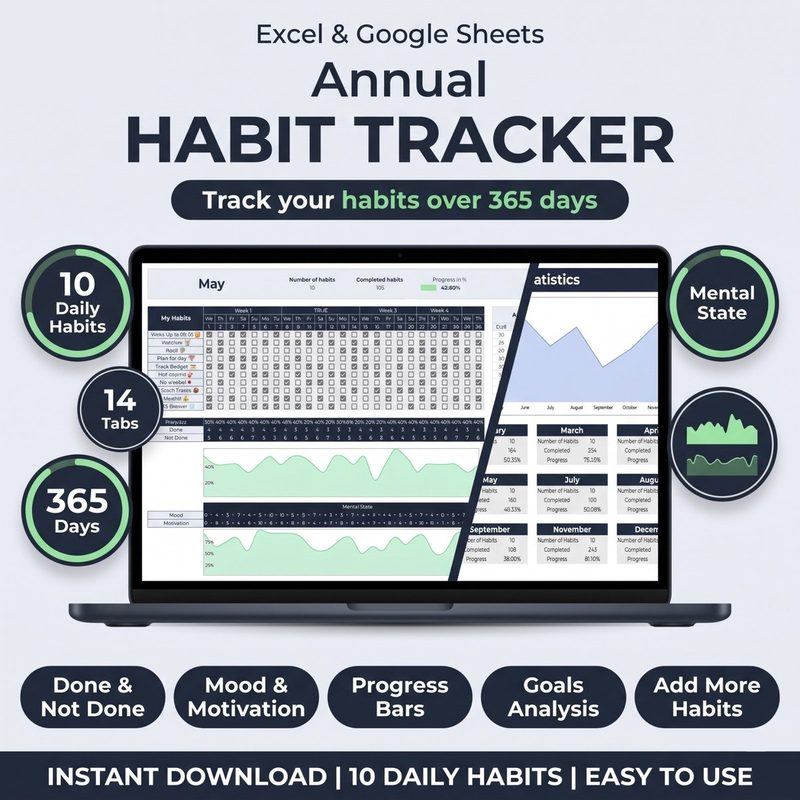
Design your environment and prove it works. The Habit Tracker for Excel & Google Sheets gives you monthly grids, streaks, and dashboards to measure the before and after of every change you make. One template, one place, everything that matters.
Get the Habit Tracker · $10Make Good Habits Obvious
Every habit starts with a cue, and the most powerful cue is visual. If you want to do a habit more often, put its trigger directly in your line of sight. This is the core of environment design: your space should advertise your good habits.
Try these proven setups:
- Lay out workout clothes the night before, on the floor next to the bed or on a chair by the door. In the morning, getting dressed for a workout becomes the obvious next move.
- Put the book on your pillow in the morning. At night, the bed advertises reading instead of scrolling.
- Keep the water bottle on your desk or in your bag, always full. Hydration becomes a reflex instead of a decision.
- Keep the guitar on a stand in the living room, not in a case in the closet. Visible instruments get played; hidden ones collect dust.
- Pair new habits with existing objects: floss next to the toothbrush, vitamins next to the coffee maker, notebook next to your keyboard.
The rule is simple: if a habit requires you to remember it, hunt for its tools, and set up before you start, you will skip it most days. If the habit is already staged and waiting, you will do it almost automatically.
Make Bad Habits Invisible
Environment design works in both directions. The same visual cues that pull you toward good habits can be removed for the ones you want to drop. "Out of sight, out of mind" is not just a saying, it is the mechanism.
- Phone in another room during focus blocks and meals. If it is not within arm's reach, it cannot interrupt you.
- Move distracting apps off your home screen and into a folder on the last page. Every extra swipe is friction you will rarely overcome.
- Keep treats out of the house entirely, or at minimum in a high cupboard you need a stool to reach.
- Remove the TV from the bedroom so the room has one job: sleep.
- Uninstall games and shopping apps from your phone. You can always reinstall them, and the reinstall delay is exactly the pause you need.
The mirror rule of environment design: if a bad habit requires five extra steps to start, you will rarely start it. Friction is your friend when it protects you from yourself.
The 20-Second Rule
Researcher Shawn Achor popularized a deceptively simple idea: reducing the start time of a habit by as little as 20 seconds dramatically increases the chance you do it. Twenty seconds is the difference between picking up a guitar that is already on a stand and dragging one out of a closet case. It is the difference between opening a book on your nightstand and walking to the bookshelf to find one.
Apply the 20-second rule in both directions:
- Subtract 20 seconds from good habits. Pre-pack your gym bag, pre-portion your lunch, pre-set your coffee maker, keep your journal and pen on your desk at all times.
- Add 20 seconds to bad habits. Put the TV remote in a drawer, keep the phone charger across the room, store impulse snacks behind the healthy food.
Twenty seconds sounds trivial, and that is precisely why it works. Your brain is a lazy negotiator. When the good option is also the easy option, the negotiation is over before it starts.
One Space, One Habit
Your brain associates places with behaviors. The bed is for sleep, the desk is for work, the dining table is for meals. When a single space serves many masters, it serves none of them well, which is why eating at your desk makes you less productive and working from bed ruins your sleep.
Environment design takes this seriously: give each important habit a dedicated home.
- A reading chair with a lamp and a book already on the armrest.
- A corner with a yoga mat that is always unrolled, never folded away.
- A single drawer that is the only home for your journal and pen.
- A clear desk zone where only deep work happens, never email and never snacks.
Once a place is dedicated to a habit, entering that place becomes the cue. You do not need to decide to meditate, you just sit on the mat, and the mat does the rest. Log the habit in your tracker when it happens, and the association grows stronger every day.
Test, Track, and Compare: Run Environment Experiments
Environment design is not a one-time makeover. It is an ongoing experiment, and your habit tracker Excel template is the lab notebook. The method is simple: change one variable at a time, measure for two weeks, compare.
Here is a realistic example. Suppose your goal is to drink more water. For two weeks, you track your baseline with the water bottle in the cupboard. Your completion rate is 45 percent. Then you make one change: a full water bottle on your desk every morning. For the next two weeks, you track again. Your completion rate jumps to 80 percent. The experiment worked, and now you know exactly why, because you changed only one thing.
If you change five things at once and your completion rate improves, you will have no idea which change mattered. Change one variable, give it two weeks, and let the numbers in your template tell you what to keep.
The Weekly Environment Review
Set aside ten minutes each week to review your environment log, in the same spirit as a monthly habit audit, but faster and focused purely on your surroundings.
- Which fixes worked? Look at the success rates before and after each change. Keep what moved the needle.
- Which habits still have friction? Check your tracker for habits with low completion. Find the obstacle and design one fix.
- What drifted back? Environments decay. The gym bag ends up in the closet again, the apps creep back onto the home screen. Restore the setup.
- Pick one adjustment for the coming week. One new fix, tested for two weeks, measured in your tracker. Small changes compound.
The template holds all the data you need. Your job is simply to look at it and ask what the environment should change next.
Common Mistakes with Environment Design
Mistake 1: Changing everything at once. A full-home makeover sounds exciting and fails fast. You cannot tell what worked, and the effort does not survive the week. Change one variable, measure, repeat.
Mistake 2: Designing for your motivated self. The version of you that plans at 10 p.m. is not the version of you that acts at 6 a.m. Design for your tired, rushed, distracted self. If it works for them, it works for everyone.
Mistake 3: Removing friction for bad habits. It is easy to make good habits convenient and forget that the bad ones are still sitting at eye level. Every bad habit needs friction, not just every good habit needs convenience.
Mistake 4: Changing the environment but never measuring. A rearranged room with no data is a guess. Use your habit tracker Excel template to record completion rates before and after, or you will never know if the change mattered.
Mistake 5: Forgetting that other people share your space. If you live with others, your environment is a team project. A shared kitchen shelf for healthy snacks and a clear agreement about the living room TV beat unilateral rearranging every time.
Frequently Asked Questions
How long does environment design take to work?
Changes are often visible within days, because you are removing decisions rather than building willpower. The moment the gym bag is by the door, the morning workout gets easier. That said, give each change a full two-week test in your tracker before judging it, because some habits take time to show a measurable shift in completion rate.
Do I need to buy anything to design my environment?
No. Most environment design is rearranging what you already own: moving the fruit bowl, packing the bag, unplugging the TV, relocating the phone charger. If you do spend money, spend it on removing friction: a water bottle, a book stand, a shoe rack by the door. Expensive gear is not the point, proximity is.
Should I design my environment or build willpower?
Both, but environment design comes first. It is faster, more reliable, and it protects your willpower for the moments when you genuinely cannot change the surroundings. Use your tracker to build the habit, and use the environment to make the habit easy. The two reinforce each other.
How do I know if an environment change worked?
Measure before and after. Track the habit in your habit tracker Excel template for two weeks before the change, make the change, then track for two weeks after. If completion improves and stays improved, the change worked. If not, try a different fix. The data decides, not your memory.
The Bottom Line
Your environment is the silent partner in every habit you keep and every habit you break. The phone on the nightstand, the snacks at eye level, the guitar in the closet, they are all making decisions for you while you are not looking. The question is whether those decisions are the ones you want.
You do not need more willpower. You need a space that does the heavy lifting. Run a friction audit, make good habits obvious, make bad habits invisible, and test every change with your habit tracker Excel template.
Start with one fix this week. Move one object, measure two weeks of completion rates, and let the data tell you what to do next. Environment design is not a personality trait, it is a practice, and it starts with a single rearranged room.
Find the friction. Remove it. Track the result in your habit tracker Excel template. Repeat.
Make good habits the easy choice. The Habit Tracker for Excel & Google Sheets gives you monthly grids, streaks, and dashboards to measure every environment change you make. Customizable columns, automatic stats, and lifetime access for one price. Start designing your environment today.
Get the Habit Tracker · $10