Monday morning is the worst possible time to plan your week. You sit down with your coffee, the inbox is already filling up, a colleague needs something urgent, and somewhere between nine and nine fifteen you realize the week is running without you. Plans made in that kind of chaos rarely survive to Wednesday.
The fix is not a better Monday. It is a better Sunday. A weekly review, sometimes called a Sunday reset, is a short appointment you keep with yourself before the new week starts. You look at last week's numbers, reset your tracker, and choose what the next seven days will actually be about. Twenty calm minutes on Sunday evening replaces five days of reacting.
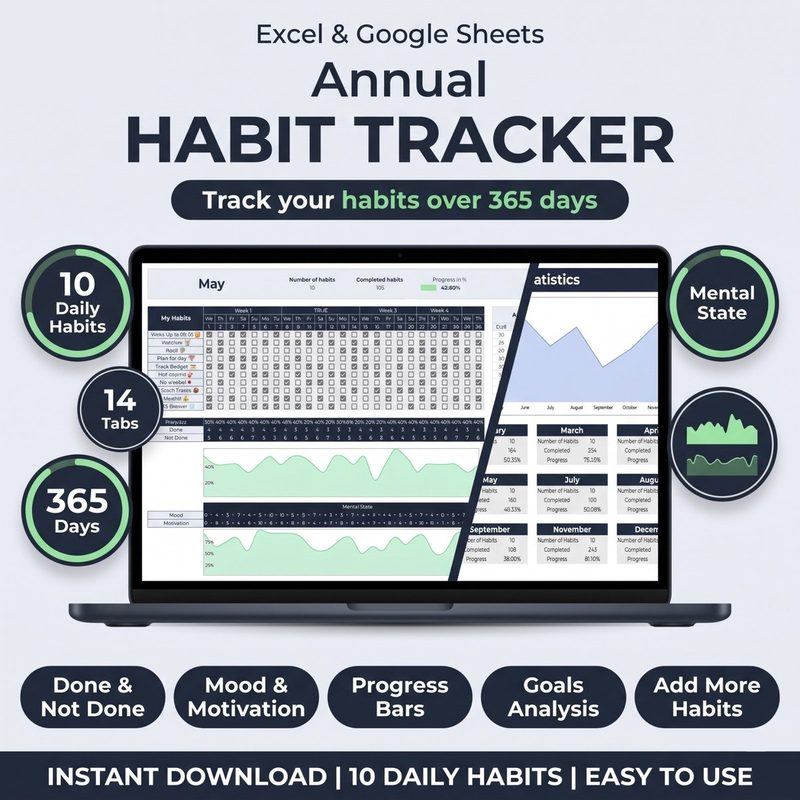
Your habit tracker Excel template is the ideal home for this ritual, because it already holds the data you need: completion rates, streaks, and the honest story of how the week really went. This guide walks you through a four-step weekly review you can run every Sunday in under half an hour.
Why a Weekly Review Beats Monday Morning Planning
Planning on Monday is reactive. You are already inside the week, so you negotiate with yourself: "I will start tomorrow", "this week is busy, I will take it easy". Planning on Sunday is proactive. The week has not started yet, so you are choosing the week instead of surviving it.
Three things make a Sunday review genuinely more effective than any Monday morning list:
- You decide in calm, not in chaos. Sunday evening is quiet. The emails can wait, the meetings have not started, and your brain is not in triage mode. Decisions made in that state are more honest and more durable than decisions made between back-to-back calls.
- You plan with data, not feelings. Your tracker's dashboard shows exactly which habits stayed above 80 percent and which one got skipped first when life got loud. Feelings lie about effort; checkboxes do not. A weekly review lets the numbers lead the conversation.
- You close the loop. A habit you never look at again is a habit you are guessing about. The review turns last week into feedback, and feedback is what makes next week sharper. It is the same idea behind the monthly habit audit, compressed into a quick weekly rhythm.
The Sunday Reset: Four Steps to a Planned Week
You do not need an elaborate ritual. The whole review fits into 20 to 30 minutes, and it follows the same shape every week: review, reset, focus, schedule. Once the pattern is automatic, you can run it in your sleep.
| Step | What You Do | Time | Tracker Feature |
|---|---|---|---|
| 1. Review | Read last week's completion rates and streaks | 8 min | Dashboard and monthly grid |
| 2. Reset | Archive last week and set up a clean grid | 5 min | New sheet or cleared week |
| 3. Focus | Pick no more than three habits to protect | 5 min | Habit list and priorities |
| 4. Schedule | Set anchor times for each focus habit | 7 min | Notes column and calendar |
Here is what each step looks like in practice, and exactly where your habit tracker Excel template fits in.
Step 1: Review Last Week's Numbers
Open your habit tracker Excel template and start on the dashboard. Ignore your memory for a moment and read what the data says. Your completion percentage per habit, your current streaks, and the weekly trend tell you more about your week than your feelings do.
Ask three questions while you look:
- Which habits stayed above 80 percent? Those are your keepers. They are becoming automatic, which means they need less attention next week, not more.
- Which habit got skipped first? There is always one. When the week got busy, one habit was the first to go. That habit needs a smaller version, a better anchor time, or an honest conversation about whether it matters to you at all.
- Did the week match the plan? If you planned five workout days and logged two, the plan was not wrong, the plan was too big. Shrink it before you punish yourself for it.
If you want to go deeper, the monthly habit audit covers pattern-spotting in detail. For the weekly review, five honest minutes on the dashboard is enough.
Step 2: Reset Your Tracker for the New Week
A tracker full of last week's checkboxes is clutter. The new week deserves a clean grid, and the reset is also a small ritual that tells your brain: the old week is over, this one is fresh.
In Excel and Google Sheets this takes two minutes. Duplicate last week's sheet, rename it with the new week's date, and clear the checkbox cells. Your formulas, conditional formatting, and streak logic all survive the reset, because they live in the cells you are not touching. If your template uses one monthly grid instead of weekly sheets, just make sure the current week's columns are empty and ready.
One Excel tip that makes the reset painless: keep your checkboxes and your calculations on separate areas of the sheet, or use data validation for the checkboxes. That way, clearing a week means selecting one range and pressing delete, with zero risk of breaking your formulas.
Step 3: Choose the Week's Focus
You cannot protect ten habits at once, and the weekly review is where you admit that. Pick no more than three habits that get your full attention this week. Everything else goes on maintenance: you still log it, but you do not stress about it.
Use a simple start, stop, continue frame. What do you start this week? What do you stop doing, even temporarily? What do you continue because the data says it is working? The answers become the habit list you actually track, which is where goal setting meets daily tracking.
If a habit keeps failing week after week, the problem is usually the trigger, not you. Re-read the guide on habit triggers and implementation intentions and give that habit a new cue before you add anything new.
Step 4: Schedule Your Anchor Times
A habit without an appointment is a suggestion. The last step of the weekly review is turning each focus habit into a specific time slot. Open your calendar and block the time now, while the week is still empty. If the habit is exercise, write the actual session into Tuesday at 6:30 pm, not "exercise sometime".
Write the anchor times into your tracker's notes column as well, so the plan and the log live in the same place. When you review next Sunday, you will see not just whether you did the habit, but whether the time slot you chose actually worked.
"A habit without an appointment is a suggestion. A habit with an anchor time is a plan."
: My Habit Journals
Make Sunday the day your week gets planned. The Habit Tracker for Excel & Google Sheets gives you the dashboard, monthly grid, and automatic streaks you need for a fast weekly review. One template, one place, all your data.
Get the Habit Tracker · $10Common Mistakes in Weekly Reviews
Mistake 1: Reviewing without the data. If the review is based on memory, it is based on feelings, and feelings will always flatter you. Open the tracker first. The numbers lead, you interpret.
Mistake 2: Protecting too many habits. A focus list of eight habits is not a focus list. Three maximum. The habits outside the top three still get logged, they just do not get protected at any cost.
Mistake 3: Skipping the reset. Carrying unchecked boxes from last week into this one is how weeks blur together. Archive, clear, rename. The clean grid is part of the psychology.
Mistake 4: Keeping the review time flexible. "I will do it when I have time" means you will do it never. Put the review in your calendar on Sunday evening like any other appointment, and protect it the same way.
Mistake 5: Turning it into a guilt session. The review is for planning, not for punishment. If last week was rough, note it, shrink the plan, and move on. Guilt does not improve next week's completion rate; a smaller plan does.
Frequently Asked Questions
How long should a weekly review take?
Twenty to thirty minutes is the sweet spot. Five minutes reviewing the dashboard, five resetting the tracker, five choosing the focus, ten scheduling anchor times. If it takes longer than an hour, you are over-planning, which usually means you are planning too many habits.
Should I do my weekly review on Sunday or Monday?
Sunday evening is best for most people, because the week has not started and you are not yet tired from it. If Sunday does not work, any calm block before your week begins will do. The important part is that the review happens before the week, not inside it.
What if I miss a Sunday?
Do not try to cram two reviews into one. Run a shortened version the first evening you can: five minutes on the data, two on the reset, and a quick decision about your three focus habits. One missed review does not break the habit; two missed reviews turn into a lifestyle.
Can I run a mini review mid-week?
Yes, and it is a great tool when a week goes sideways. A five-minute Wednesday check-in can catch a sliding habit early, before it becomes a broken streak. Use the same three questions, but skip the reset and the scheduling; those stay on Sunday.
The Bottom Line
The people who win the week are not the ones who try harder on Monday. They are the ones who planned on Sunday, when there was time to think. The weekly review is a small investment: twenty minutes, four steps, one quiet evening. The return is a week that goes where you point it instead of wherever it happens to roll.
Your habit tracker Excel template already keeps the score. The weekly review is how you read it, learn from it, and turn it into next week's plan. Review the data, reset the grid, choose the focus, schedule the time. Do that every Sunday, and Monday stops being a scramble.
Plan the week before the week plans you. Review, reset, focus, schedule, and let your tracker keep the score.
Your next week starts on Sunday. The Habit Tracker for Excel & Google Sheets gives you automatic streaks, a progress dashboard, and a monthly grid built for weekly reviews. Customizable columns, lifetime access, one price. Start your Sunday reset today.
Get the Habit Tracker · $10